Corning Continues to Shape the Future

As a child, while watching my favorite sci-fi movies, I would be in awe as the hero hacked into the building mainframe from a 3-D terminal hub, allowing all the doors to open, thus leading to the rescue of the gorgeous damsel in distress, or pressing a button on his watch unveiling a virtual map leading to the treasure.  Well, those once far-fetched ideas are no longer left to the imagination; they are here in the very world around us.  Everything from touch-display buildings, 3-D and virtual reality museums, and interfacing with every facet of our home from a smartphone or tablet, may have seemed impossible then; but let’s face it, the future is present and  incredible.  Spearheading many of these advancements is a company you’ve probably heard, but may not have known how integral their contributions are for the whole.  Today, everyone and their mother own a smartphone, and such, probably heard of this little thing called Gorilla Glass, the protective coverings for the displays, manufactured by Corning.  However, Corning is no one-trick pony, as they are key contributors in numerous design and patent-pending advancements, allowing for the dreams of yesterday to become reality today.  As their website banner states and so appripoaly exacts the premise of this article, “Our glass innovations power the devices that make lives easier, more entertaining, and more rewarding…”

In business since the 19th Century, Corning already has made monumental offerings to current advancements in several industries, and continues to engineer modern progressions in Avionics and Aerospace, communication, architecture, and the mobile electronics.  Two of the most notable contributions are their Gorilla and Willow Glass lines.  Gorilla Glass is a commonplace for many of the mobile devices we use today, serving an integral buffer and touch-capacitive functions to interact with our devices.   However, many underestimate the overall value of such a medium, as I did until researching for this article.  Corning believes the continued advancements within the Gorilla Glass line will be the bridge to a more interactive world.  Not merely an instrument to protect our displays, this glass can be incorporated with our existing structures such as wall, elevators, or direct link capable displays.  The idea is the very information we find on our computers, smartphones and tablets can be expanded into a larger form factor.  The concept of “smart walls” and “smart buildings” remains the underlying goal, and the possibilities and positive impacts to our world are vast.  In the not-so-distant future, elevators will not only serve as a mode of transport between levels, but also as outlets to news and video feeds.  The very walls in hospital offices and patient rooms will be filled with information on treatments, and will allow for improved methodologies of diagnosis and treatment, utilizing the synergy between medical instruments and this glass.  Again, this is readily available now, as Corning reiterates the Gorilla Glass line serves as a principal, in that it can be used as on overlay focusing over the existing walls in a building or home.  I’m fascinated for the day I go to a museum, and while I’m viewing a piece of work, I can touch the surrounding walls and retrieve pertinent facts regarding its origins to bios on the artist.  In my opinion, what Corning has already done and hopes to continue will be a great bridge in the divide between today’s concepts and a truly immersible world.

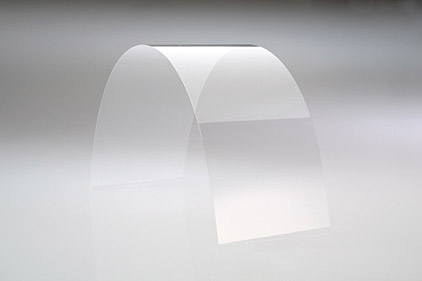
One other impact offering from Corning proves to be the applications of their Willow Glass line.  Similar to Gorilla Glass, Willow Glass will serve as a principal for OLED and LCD displays.  Unlike its counterpart, Willow Glass is geared more towards curved displays because of its thin, light and pliable characteristics.  Because Gorilla Glass is mass produced in slightly larger form factors, utilizing the “roll-to-roll” production of Willow Glass, much like that of newspapers from a printing press, will allow more cost-effective and quicker production times.  Additionally, Willow Glass can be used in smaller spaces, those the larger Gorilla Glass may not be able to be applied, while still maintaining similar, if not greater resolutions.  Simply put, Corning sees these as a means of producing quality displays where the implementation of larger glass methods may not be accessible.

However the method, it is apparent Corning hopes the continued advancements of these lines, and additional product lines, will continue to shape the interactive world of tomorrow.  I for one am impressed by the technology readily available and challenge designers implement in upcoming projects.   Furthermore, I advise any readers to visit the Corning webpage and YouTube channel to see this and many other current projects that will unlock the future, today.

YouTube Channel for Corning

Corning.com

Gorilla Glass
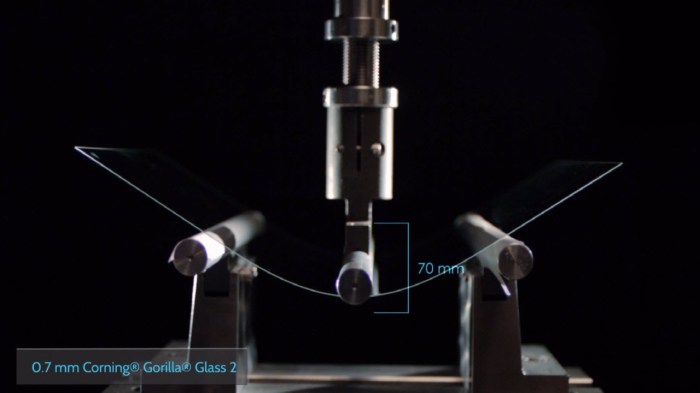
Gorilla Glass 2 Testing (Image courtesy of Corning.com)
Willow Glass
Willow Glass Image (Image courtesy of Appliancedesign.com)

BLU LIFE ONE X (2016) REVIEW: BLU’S BUGGY BARGAIN

Blu’s Buggy Bargain, whoa, try saying that five times fast. Not easy, huh? Over the last month, I’ve had the opportunity to use, evaluate and review the Blu Life One X (2016), and for a reasonable $149.00, this is a buggy yet solid. Let me clarify the usage of the wording “solid” by implementing my self-designed definition of the word: solid – (adj) pedestrian; useful without being spectacular. I will be upfront by stating I use this word to describe many of the Life One X features, so always use this as a reference guide.

All-in-all, BLU continues to go about their business of pumping out solid…yup… devices at budget-friendly prices. For anyone willing to make some feature sacrifices, this may be an absolute bargain; with bugs.

TAKING THE TOP OFF: THE UNBOXING
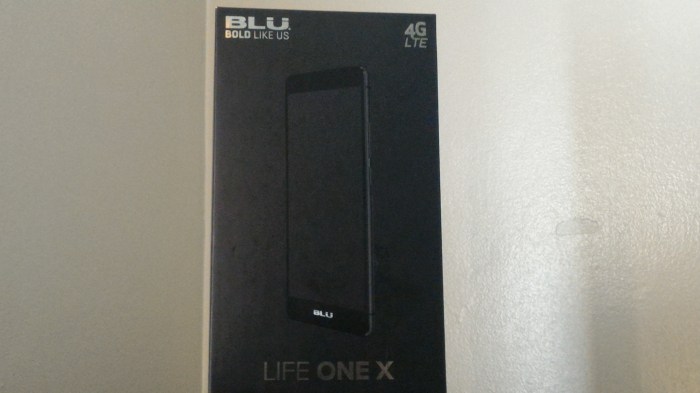
Known in the tech world as the “Budget Phone King”, many would expect an unboxing befitting the budget price in attempt to cut costs. Dare I say this is not completely the case for the Miami-based company, as the “flash factor” is present. I find it somewhat apropos as Miami is synonymous with flash and flair…I’m sending that like out to you Pitbull. More-or-less, we have a simple black rectangular box, but the 3-D device picture and sleek metallic silver branding definitely gives you a hint of style and flair. We observe this metallic silver BLU (“Bold Like Us) themed branding on both the top and bottom interior and exterior housings, the 4G LTE logo, Life One X labeling, the BLU website information (www.bluproducts.com), and FCC/Device identifications in black lettering within an adjoining white dialog box. As I often do for something notable, I give kudos, so kudos to you BLU for a nice unboxing experience.

Inside we are introduced to the phone in its plastic wrap sitting atop a velvet lined support. Seated underneath the phone, we find the standard USB 2.0 cable, charging adapter, and included headphones, all in similar wraps along with our usual manuals. Lastly, similar to other BLU devices, an included screen protector and phone case are found in the bottom of the interior housing. Low quality best describes the protector, as its not as dense or solid as a 9H or tempered one, but still nice to see its inclusion. Also, the case is reminiscent of the S-View for Samsung Galaxy phones, with an upper quadrant opening, allowing for quick view of notifications without unlocking the phone. I never found myself using it as I am not a big fan of this particular style, but again, nice to know BLU maximizes the experience with goodies not usually included by other manufacturers.

THE ENTREE: HARDWARE, SPECIFICATIONS AND PERFORMANCE
No one will mistake this phone as premium feeling, but the continued principle of solid fits so perfectly. On front we get the glossy black display with Corning Gorilla Glass 3, surrounded by a metal band and removable plastic back covering. Giving kudos once again is in order as the devices feels nice in the hand with its tapered edges, curved back that fits fabulously in the palm, and the ergonomic stylization allowing great one-hand use. Without overstating, this is not a phone in league with the HTC One M9, Samsung Galaxy S6 or Apple iPhone 6s, with their respective glass/metal bodies for the premier aesthetics and feel, but maintains a solid, simple charm.

On the right side, we find a top and bottom antenna, accompanied by the volume up/down toggle and power button. The volume toggle sits above the power button, and both have a great tactile feel. Although neither possesses distinguishing traits, I never found myself pressing one while attempting to use the other. On the left side, we find symmetrical antennas to their right counterparts and nothing else. Atop you’ll find the customary 3.5mm headphone jack sitting alone as no noise-cancelling microphone was present, and the USB port and main microphone on the bottom.

The 5.2” IPS LCD display, with a 1080p full high-definition resolution (approximately 424 pixel-per-inch density) provides a quality viewing experience. I find a close equivalent to the LG Nexus 5X as both having impressive screens, with the Nexus slightly edging out a win because of its brightness and sharper contrast. Don’t get me wrong, the Life One X boasts excellent viewing angles, but still leaves something to be desired. Possibly an uptick of sharpening and outdoor visibility may be the only thing lacking to make this one of the better 1080p, LCD screens, but still well worth the money.

Nestled on top of the front display we get the LED indicator, the earpiece and front 5 megapixel camera. I will touch more on the camera in the software section, but again, the word solid comes to mind. I never got the “oh my gosh” selfie shot, but to capture a quick picture for friends and family, or an adequate shot for social media, it will certainly suffice. At the bottom of the display, we find more BLU branding, with the noticeable subtraction being hardware navigation buttons, replaced by on-screen software ones. On the back is the 13MP camera, accompanied by dual-LED flash, and a bottom mounted grille speaker. As with other BLU devices, the speaker quality proved unimpressive with volume reaching high levels, but with distortion and devoid of great clarity. Similarly, the rear camera generates decent photos, but absent is great contrast and quality of detail. Again, solid and functional are the underlining truths to take away from the hardware aspects.

Removing the plastic back gives access to the dual-sim slots, micro-sd card slot, and the 2,900 mAh non-removable battery. I was pleasantly surprised BLU incorporated such a large battery given the size and screen resolution, and easily obtained all-day usage with above-average screen-on times; that is when the device isn’t acting buggy. Usual on-screen outputs ranged in the 3-1/2 to 4-1/2 hour range of moderate to heavy usage while checking/writing emails, viewing personal photos and video, browsing websites, taking photos, light gaming, and lots of YouTube watching. But one day, the device went berserk and flirted with full-on beast mode, after a random reboot. Even know, I’m still not sure what happened, maybe a software glitch caused something to go haywire, but I just could not drain the damn thing no matter how hard I tried. Included is a screen shot of that day, where I achieved seven (7) hours of on-screen time. The unit was scaring me so much I contacted an old priest and a young priest to be on standby in case an exorcism was needed. A clear indication of the buggy software one could incur when buying this phone. However, one aspect I actually liked quite a bit was this device sips power so efficiently when not in use. On a Tuesday during my review time, I left the phone on my desk at 97% with the screen on and screen timeout set to 30-minutes, and came back an two hours later to 96% battery remaining. Extremely impressive in my book if you ask!

Call quality falls into the okay category as incoming voice sounded clear but somewhat muted, while outgoing voice was detailed as either robotic sounding or accompanied by static interference. Data speeds in the testing area were impressive, though, with speeds averaging 27Mbps on T-Mobiles LTE bands 4 and 12. Again, I find the word solid a great way to describe the performance of the Life One X.

Powering the device is a 1.3GHz Octa-Core MediaTek processor (MT-6753), accompanied by 16GB of internal storage and 2GB of RAM, Mali-T720MP3 graphics card, and a 4G LTE support (Bands 2(1900), 4(1700/2100), 7(2600), 12(700), 17(700)) which is suitable for a majority of T-Mobile LTE bands and some AT&T bands. Although standard for other manufacturers, this is a stark deviation from other BLU devices supporting only 3G or HSPA+ speeds. The MediaTek processor demonstrates to be no match for powerhouse counterparts like the Qualcomm Snapdragon 800 series or Samsung Exynos; but, common usage will yield nice results. Additionally, by today’s standards, 2GB of RAM won’t make any jaw drop in wonderment, but my testing showed solid performance with little to no stutter. Having multiple applications opened did bog the device down, but with proper management, any hesitations in performance would be minimal. Snappy certainly is an overestimation of performance, but solid fits the description without a doubt. If we were to hop into a Delorean and go back to 2012, there is little doubt the Life One X would be viewed as an upper-tier phone of the day. Heavy gamers and photographers-in-training may want to stir clear of buying this, but for someone looking for a casual yet solid experience, it’s not a bad selection.

TELL ME MORE: SOFTWARE AND CAMERA
The words buggy and inconsistent come to mind whenever I review a BLU Device, and this is no exception. I say this with the utmost conviction, never have I reviewed a device from this manufacturer incorporating like software or devoid of glitches, and this one continues that trend. The Life One X sticks mostly to stock Android Lollipop (version 5.1); with a few icon pack tweaks, an inclusion of software customization, and other software gesturing additions. I would not call these inclusions a skinned version of Lollipop, but perhaps that is a good thing. Keeping Android closer to pure as possible is what most users appreciate, especially since the software is not at optimal performance. The included App Drawer was also a welcome inclusion, resulting in decreased need to install a third-party launcher, a big difference from previous BLU phones devoid of such feature. But, software continues to be the bane of BLU’s existence. There were several useful features included such as: double-tap to wake, screen drawing gestures to open applications, flip to silence and snooze, pocket mode, and voice unlocking, all diminished by lag and app stuttering. One such example was the screen draw gesture to open the camera, in which you would draw the letter “c” for quick access. I love this feature on all my OnePlus devices, and hoping for similar success on the Life One X. Unfortunately, the experience was marred by inconsistency in successful usage and even phantom activation. I don’t know if it was me, or if the magical camera fairy waved her wand, but this feature worked marvelously when in my pants. Trust me when I say I know possess some great photos of the inside of my pants’ pocket. Joking aside, these inclusions would be a delight if BLU provided updates to improve performance when bugs are apparent, but I am skeptical due to the company’s previous track record. The same can be said about the operating system upgrades, as we are now entering month five of Android Marshmallow, and no word from BLU Headquarters on when the switch will occur. I see this as a potential deal breaker for those looking for updates to make a more fluid experience. However, at such a great price point, many may end up overlooking this inconvenience.

Much like everything on this phone, the cameras are solid without being spectacular. The application is easy to use with almost no hiccups, and utilizes a great button layout. As stated earlier, the back camera is 13 megapixels, with a 4:3 aspect ratio, or you could drop down to 10 megapixels for a 16:9 aspect ratio. A degradation of quality is apparent in switching to the lower resolution, but proved quite nominal. One quick note about the flash I learned the hard way, it is bright and can cause some serious shadow-effect problems when used, so proceed with caution when using. I did enjoy how quickly photos were taken, with a near instantaneous render. However, I did find touch to expose quite fickle. Some of the included sample photos should show it, but if you touch on one point of a subject, you can get a near perfect shot. But if you focus just slightly off-center of that subject, there was a tendency for blown-out highlights. It was a very odd occurrence and definitely one worth noting. The back camera also records video in 720p with your choices of high, medium or low frame rate quality. I saw little difference in video quality between the high and medium settings, but a noticeable one at the low settings. Unfortunately, no 1080p video recording was included, but overall camera quality for both photo and video were; say it with me…solid.

BRING IT ON HOME: CONCLUSION AND FINAL THOUGHTS
As customary in each of my reviews, I attempt to answer the question who I would recommend this phone. Over and over I contemplated this and still have no solid answer. I guess the best answer shifts back to that word I used throughout this article: solid. If you are looking for a solid but not spectacular device at a great price, this is a device to consider. If you are not one desiring constant updates and not dissuaded by the possible lack of OS upgrades, this may be the device for you. I see this more as something a parent would buy their pre-teen or teenager as a starter phone, or for someone in need of a “filler” device until the new flagship season kicks off. I also see this as recommendation for someone traveling overseas needing an unlocked and/or dual-sim device, or for someone looking to add another decent phone to their roster. Solid, albeit with some buggy quirks, clearly defines what it is like to use the Blu Life One X. And if you are someone who can live with this, you will be pleased what your $149 buys you. One final note, if current pricing is steeper than what you would like to pay, Blu has a history of lowering prices as a device ages; so be on the look out for that in the near future.

Best Smartphones of 2015

Ah yes, winter is finally here, and as we wind down this incredible year, I would like to take a look back at which manufacturers titillated us with their naughtiest and nicest offerings. Share with me as I announce my best smartphones of 2015.

For sake of ease, I broke this down into two categories: (i) best premier smartphone (ii) best budget smartphone – best smartphones at or under $399. Bear with me as these are my honest opinions based on devices I’ve reviewed throughout this year. Once again, these are my OPINIONS predicated on matrices I preset to give quantitative scores for ranking purposes. Hopefully you agree, but if not, sit back and enjoy.

BEST PREMIER SMARTPHONES
1) Samsung Galaxy Note 5 – With its stunning Quad-HD display, incredible S-Pen functions, and everything we loved about the Galaxy S6 (with some minor improvements as well), it’s hard not to rank this as the best smartphone of the year. Rumblings are Samsung already has production set to trump this one; sounds intriguing.

2) iPhone 6s and 6s Plus – I am ranking these together because more-or-less, they are identical devices, sans the size difference and a camera upgrade. Everyone knows I am not a huge fan of Apple, but I must give props to them on a magnificent looking and well performing phone. Did they steal features from previous devices? Yes, but who doesn’t nowadays. If you are not an Android or Windows junkie, the gorgeous build and overly expansive App Store will make you run, not walk, to get this phone.

3) Samsung Galaxy S6 Edge – The “cousin” of both the Note 5 and S6 ranks slightly above the latter due to the ingenious edge display. During my testing did I find much use for it? No, but I can attest the few videos I viewed were enhanced by this design feature. Even though it closely resembles the S6, I found myself just more impressed by this one. Definitely worth an upgrade if you are coming from the S5 or interested in a new Samsung device.

4) LG V10 – Even though it was a recent release, we will give it a pass as it is such an impressive device. It makes me think, if the LG G4 and the Samsung Galaxy S6 Edge had a baby, this is what it would look like. Compliments aside, I still wonder why the secondary display is on the top, but as I said in a previous writing, LG knows how to make stunning phones. From the massive yet glorious 5.7” display, to the premium feel, and “yes” SD card storage and removable battery, make this a no-brainer for a converted or long time LG fans.

5) Samsung Galaxy S6 – I remember at the end of last year, Samsung stated a few minor tweaks would be in store for the upcoming S6…a few minor tweaks, huh? Oh yeah, you just dropped the SD card slot, shed the removable battery, changed from a plastic to all glass and metal design, changed the processing chip, and upped the price; but yeah, just a few minor tweaks! Jokes aside, when I first saw this, my jaw dropped to the floor. It is a stunning piece of craftsmanship and I enjoyed my testing time. You ask, why only five on the list then? Well, poor battery life and the very breakable glass design pulled it down from the original #1 spot earlier in the year. It is without a doubt, one of the best devices of the year and a must have upgrade for anyone ready to turn in their S4 or Note 3.

6) Nexus 6P – Over the last two years, I have been thoroughly impressed by such devices as the P8 and Mate 7, and thus, find myself becoming a huge fan of Huawei. This Chinese manufacturer reminds me of LG with its use of nice designs, premium feel in the hand, only diminished by its convoluted user overlay. Nexus 6P shows it’s a boss of a phone and corrects the overlay issue by running Stock Android. So you have a great design, incredible display, front-facing speakers, coupled with the fact you will be first-ish (sorry, Motorola has been the first for Android updates the last year-and-a-half) for OS updates, makes this all the more appealing.

7) LG G4 – The “little brother” to the LG V10, the G4 was the first of many incredible devices to be launched this year. You may ask “…why so low on the list then…” and that has more to do with how many amazing devices came out this year, as opposed to something LG did wrong. From the beautiful display, to the micro sd card slot and removable battery inclusion, and the ingenious application multi-function feature, there is little to disapprove.

8) Motorola Moto X Pure/Style – Whatever the name is, Motorola continues its dominance of putting out simple yet outstanding devices. Utilizing an outstanding design, pure Android OS software, and an understated price tag, you cannot go wrong with the Moto X Pure/Style. And “yes”, for all you who still use your devices to make and receive phone calls, Motorola continues producing cellphones with great reception and call quality. What’s more, Moto-maker adds the icing to the cake, allowing a fully immersive level of customization not present by other manufacturers.

9) OnePlus 2 – Carl Pei, the founder of OnePlus, sought out two (2) years ago to change the game, so to speak, and we’ve witnessed his precision in doing so. A small off-shoot of the OPPO family, OnePlus followed up its success of the OnePlus One to bring an even more outstanding offering in the OnePlus 2. Lack of NFC debate aside, there is little to dislike in this year’s entry.

10) HTC One M9 – Like the saying goes, “If it ain’t broke, don’t fix it.” HTC held true to this in carrying over many features from the One M8 to the new One M9. From the outrageous boom sound speakers, to the crisp display and expandable storage, there was little to dislike. However, HTC needs to understand, a few tweaks here-and-there will be necessary for next year’s M-series phone to make this list.

HONORABLE MENTION: ZTE Axon Pro, Microsoft Lumia 950/950 XL, Huawei Mate 7, Blackberry Priv, ZTE Nubia N9, Sony Xperia Z5 Premium

BEST BUDGET SMARTPHONES
1) OnePlus 2 – See everything from previous entry about OnePlus 2, and just remind yourself all that for just $389.00 off-contract.

2) Microsoft Lumia 640/640 XL – Since taking over the Lumia moniker from Nokia, Microsoft re-introduced itself into the smartphone race with a solid winner. Although a budget device in every facet, this checked all the boxes of what you want in a great phone. Near crystal clear call quality, adorable display, solid speakers, great camera for the pricing, and a solid OS, make-up for a not-so-stellar but improving App market. For what you get at a sub-$100 price, you won’t be upset

3) Asus Zenfone 2 – If you’ve read my review on this phone, you will realize I want to put this under the Best Premier Smartphones category, but because of the price, it certainly falls under budget, but with a solid asterisk. From the incredible display, large customization options, solid performance, and continual updates from Asus, it’s hard not to call this one of the top-20 best phones of 2015…overall!

4) Nexus 5X – The successor to its famous “little brother” of 2013, the Nexus 5, the Nexus 5X follows in the “family” footsteps with a quality build, great interface, solid performance, and stock Android to boot…bootloader pun intended. It falls at the top of the budget tier line, but several current promotions put it at under $350.00, which I call “budget” in the era of $800 and up premium phones. Little bro can cheerfully say with pride “That’s my brother!”

5) Oppo R7 – What can be called the parent company to OnePlus, Oppo continued making innovative devices this past year. The Oppo R7 without a doubt slides right into one of the best budget devices of the year. Improving on the popular R5, Oppo kept the slim design, re-introduced a 3.5 mm jack, and kept a gorgeous display. Although not a major player in the North American market, tech heads have lauded Oppo due in part to their consistent updates, great options in customization, incredible speaker quality, and snappy performing devices.  Those very reasons are why we find the R7 as one of the best budget smartphones of 2015. Coupled with its current $349.00 promotion price, I say it’s a great product on a budget.

6) Motorola Moto G – Motorola was once the top dog in the emerging smartphone industry back in the mid to late 1990s and early 2000s. Unfortunately, much like the ebb and flows of life, they found themselves on the outside looking in to the likes of new big dogs Samsung, Apple and LG in current 2000s. Since its first introduction two years ago, the Moto G evolves gracefully, while still maintaining its budget status. What’s not to like about a solid offering for under $179? Plus, if you’re still looking for a last minute Christmas gift, several U.S. retailers are offering such an incredible device for as low as $99.00. Not too shabby!

7) Motorola Moto E – Take everything you like about the Moto G, shrink the body a little bit, add LTE bands, and voila, there you have the Moto E. I really tried not to like this device due to my own prejudices based on its price, but couldn’t help falling in love with it. Now, the Moto E shows more function over form, but at such a highly consumer friendly price, you can’t help but pick one up. If you are lucky like me, you may be able to catch another retailer’s blowout sell and nab one for $9.99. Really impressive!

8) BLU Life One X – Although coming out at the tail end of this year, we had to add the BLU Life One X to our listing of great budget offerings. In standard form, BLU continues to pump out impressive, budget friendly offerings, but the Life One X may stand above the crowd in BLU-ville. A solid 1080p, with LTE coverage for some bands, and a well performing MediaTek CPU, the Life One X could challenge as one of the best bang-for-your-buck smartphones for the first part of 2016. Couple a quality device and a $149.00 price tag; it has the makings of everything this list embodies.

9) Alcatel One Touch Idol 3 (5.5”) – Wait a minute…nice looking display, great JBL earphones and sound quality, reversible UI and all under $299.00? No, can’t be! However, Alcatel managed to do just that. I must mention the call quality wasn’t the best during my review, and I also observed some software stuttering, which account for its fall on our list. But, for an already established manufacturer throwing its foray into a competitive mid-tier market, we like what we see.

10) OnePlus X – Oneplus founder, Carl Pei, continues to show he knows the smartphone business. Taking what people liked in the original OnePlus One, modify the body to a breathtaking glass/metal body, and you have another OnePlus hit! Also, marketing it at an insane sub-$250.00 price point won’t hurt in winning over any would-be consumers. You sacrifice NFC and the loss of a few LTE bands, but overall, a premium device for small change won’t make anyone fell like a Grinch this Christmas.

HONORABLE MENTION: BLU Vivo Air LTE, Xiamoi Mi Note Pro, Kyocera Hydro, Huawei P8 Lite, LG G4 Stylus/Stylo

OnePlus 2 Review: A Device Where Everything Adds Up…Almost!

OnePlus captivated consumers by producing one of the top phones of 2014, after ticking us off with the silliest invite system ever. Wait, I promised my therapist I would move on. Anyway, users and reviewers wondered could OnePlus achieve success again in 2015, with a multitude of amazing devices launched by the likes of Apple, Samsung, LG, and Motorola, just to name a few. Well, I am here to say OnePlus again stole my heart. Once you get past the self-proclaimed and overpromising Flagship Killer moniker, you realize this company possesses a firm gripe on what consumers want. This shows evident the OnePlus 2. In my opinion, arguably one of the best phones of the year and well worth purchasing.

TAKING THE TOP OFF: THE UNBOXING
Unlike last year’s OnePlus unboxing, the OnePlus 2 provides a more suitable, albeit still electrifying experience. Differing from last year’s pull-out jacket approach, this year we are greeted with a simple but stylish pull-off design. In their signature red and white stylization, we are met by a rectangular box with adorning lettering, and an impressive etch-on I can only describe as company’s new “infinity” logo. On the back, we observe the normal FCC, IMEI, and Company information regarding your particular phone identifications. Once again, the idea of simple but still very stylish comes to mind.

Upon removing the top covering, we are greeted to the phone in all its glory, enclosed in a protective plastic sleeve with the wording “ONEPLUS 2”, “NEVER SETTLE”, and the button layout indicator etchings. Underneath the device, we come upon a red jacket and inside we will find our normal array of Quick Start Guides and Manuals, which we all can’t wait to read thoroughly. Just joking! Below the manuals, are the white cutouts housing our USB type-connector cable and power adapter.

As previously stated, this unboxing experience shows OnePlus understands stylish does not need to be extravagant to enjoy. It was simple but definitely not understated.

THE ENTREE: HARDWARE, SPECIFICATIONS, AND DISPLAY
Getting back to the device, we see a gorgeous all black 5.98” overall size, with a premium looking dark grey metal band surrounding the phone frame. We find our standard 3.5mm headphone jack on top with a noise cancelling microphone and antenna, our volume up-and-down buttons with accompanying power button to the right. On back is the 13MP camera with dual-LED flash and laser optical sensor, the newly embedded fingerprint sensor/home button positioned below the display, and two grills on the bottom serving as our speaker and a secondary microphone, along with the USB Type-C port. On the front of the device we have our earpiece, ambient light sensor, LED notification light, and 5MP front camera. But one of the newest, and in my opinion, best features added is the alert slider on the left side. I know Android has software inclusions to turn notifications on or off, and also enter the phone into a silent mode, but having a dedicated button for such activities was an admirable add-on. I hope we see this in many future OnePlus devices, as well as other manufacturers should consider this a necessary inclusion. I only used it a handful of times during my testing period, but still, a very welcome addition. Much as other reviewers mentioned, no NFC is present, so this puts a damper on possible use when Android Pay and other electronic transfers becomes norm. It was not a big deal to me, as I very seldom use it anyway, but in a supposed flagship killer, there really is no excuse for its omission.

Powering the OnePlus 2 is a Quad-Core Qualcomm Snapdragon 810 (version 2) chipset (four Cortex high-powered A-53 and four low-powered A-57), coupled with an Adreno 430 and 4GB of RAM for the 64GB variant and 3GB of RAM for the 16GB variant. A little off topic, but it fascinates me manufacturers produce 16GB variants. Really? 16GB? What am I supposed to do with 16GB? Really! In my opinion, 16GB, with no SD card expansion, should be a crime against humanity! I digress, though. Also included is GPS/GLONASS, all bands of 802.11 Wi-Fi are present, Bluetooth version 4.1, USB Type-C, dual-SIM card tray (nano-SIMs). I found the performance to be more than expected for such a reasonable priced device.

Multi-tasking was a breeze with no aggressive app closings, thanks in part to the 4GB of RAM, and I enjoyed an overall fluid experience. There were a few hick-ups in daily usage, but much of that can be attributed more to flaws in the Oxygen OS software we will discuss in the next section. All-in-all, I was pleasantly pleased with the functionality and found my self enjoying web browsing, playing games, viewing videos, even writing articles, and using GPS to get around town. Without a doubt, I would give the hardware a solid “A”. Additionally, the fingerprint/home button was such a welcome addition. It is quick and easy to setup, and very responsive in its dual function. I found myself playing with it because how fascinatingly cool it was. I would not say it’s the fastest, I would give that honor to either the iPhone 6s or Nexus 6p, but the OnePlus 2 possesses one of the better ones. I also found the overheating issues of the infamous 810 chipset to be very minimal. Did the device get hot? No. Did it get warm? Sometimes when doing when heavy multi-tasking or playing graphically intensive games, but I applauded OnePlus for turning a con into a pro. Kudos! Call quality and reception were also high points as calls sounded very clear with little to no distortion, and speaker levels were well above acceptable levels. The speaker quality showed very capable during my testing period. I will never be an advocate for bottom speakers as too many shenanigans can happen (i.e. covering while playing games or videos in landscape) but the volume was on-par with other quality devices. Kudos once again, OnePlus!

Battery life proved an inconsistent aspect of an otherwise fantastic experience. I know other reviews report solid but not spectacular battery life, but I have to dispute those. My usage was hit-or-miss, with typical usage of 3-1/2 to 4 hours of moderate on-screen usage being close to normal. I did get over 6 hours of talk time (on a full charge); and yes, I am a teenage high schoolgirl from the 80s who still likes to talk on the phone for 6-plus hours. One interesting aspect of an inconsistent feature was I did get outstanding standby times. There was a Monday; I put the phone away to test another device, accidentally leaving it on after full charging. I did not even know it was on until that Thursday afternoon I heard the “low-battery” chirp. Really impressive if you ask me, but overall, I would give battery life a “C+” for inconsistency. Software updates to either Oxygen OS, or an upgrade to Android Marshmallow may rectify this problem, but be wary, for now.

Moving onto the display, I have but three words to describe it, “de-lic-ious”, I’m done. We observe a gorgeous 5.5” IPS display with a stunning 1080p (1080 x 1920, 401 ppi) resolution covered in Gorilla Glass 4. Kudos once again to OnePlus, as this display is incredible. When first observing, I honestly thought it was a Quad-HD display because of the vividness and great color rendering. I was dumbfounded when a colleague corrected me, but you see the point. Essentially, it is the same display used on the OnePlus One, but the designers did a marvelous job adjusting internal brightness and saturation levels. Looking at such a great display made the daily tasks that much more enjoyable. Kudos all around!

TELL ME MORE: SOFTWARE AND CAMERA
After the public and confusing breakup between OnePlus and Cyanogen, OnePlus was left to produce their own in-house software overlay. Queue Oxygen OS for its grand unveil! In general, I was pleased with the skin as it offered several usable features devoid in stock Android. Upon first use, it had some minor glitches including force closes of the installed messaging app, periodic non-responsiveness of the fingerprint reader, and the occasional sluggishness of memory intensive apps, to name a few. The reason these did not deter my overall satisfaction is OnePlus has been diligent pushing software updates out regularly to improve performance. So what started as often buggy and frustrating quickly turned into delightful.

If you are like me, you like to change the look of your device daily. If so, you will be elated with this mamma-jamma. Much like its predecessor, the OP2 includes several software options to change the theme, stylizations of the keyboard, adjust hardware button layout and operations, adjusting the design in the settings menu, and those are just a few tweaks. I say this seriously, if it on the phone, you have the ability to tweak it, and I really enjoy such options. It goes without saying, but I never had a dull moment playing with the customizable options. Truly, it felt like using a new device each day.

As I mention in every review, I am not much of a camera aficionado, so take my review of the camera lightly. In great lighting, I was quite impressed with the solid contrast and great detail. Additionally, the focusing proved a high point, thanks in part to the laser autofocus. Taking a shot was incredibly fluid, simple and relatively fast. Low light shots were okay with the dual-LED helping out. In general, picture quality was a solid “B”. Video was also impressive, but I did find myself frustrated by the constant auto focusing. I am not sure if this was something I was doing wrong or if it just a software issue, but I did get a little annoyed. Quality of video was actually nice. You definitely won’t make J.J. Abrahams (cheap Star Wars plug) jealous because of the quality, but the videos will be crisp and pleasurable to view.

My biggest gripe focuses around video ease of usage. There is far too many swipe up or swipe in gestures, which are similar to initiating other application functions. Often, I would swipe up or in to change a camera/video function, and all of a sudden my notification drop-down would show up, or the settings menu would initiate, little things like that. Nonetheless, I feel with continued usage, this would turn from a minor annoyance to skillful mastery.

BRING IT ON HOME: CONCLUSION AND FINAL THOUGHTS
In concluding this review, let’s look at the facts about the OnePlus 2: upper-end specs, great design and build, solid software experience, great hardware and software customizations, and a thoroughly appealing price tag. Without a doubt, this is one of my top 15 devices of 2015. Is it future proof? More or less. Is it a flagship killer? Nope. What it does achieve is it is a great device, with a great price point, you will not regret you purchased. As I always answer “…who is this for…”, and I can honestly say I would recommend this to anyone. There really is something here everyone will like with few sacrifices. Unless you just require a phone with all the top-notch bells-and-whistles, you will be very pleased. Much like the OnePlus One, the OnePlus 2 walks a marvelous line of providing a great experience and impressive specifications with a minimal price tag.

OnePlus 2 – Sample #2
OnePlus 2 – Sample #1

A Zenful Experience: The Asus Zenfone 2

Hacky pun aside, the past six months presented the opportunity to review the Asus Zenfone 2. Why did I hold off this review for so long? As you may or may not know, the period of February through November presents a plethora of devices being released. During my initial review period using this as my “daily driver”, I came to the conclusion of holding a review for a later period to give this device the alone time it needed. For this review, I observed and used the ZE551ML edition, which is the higher end variant. Let me tell you, the Zenfone 2 proves an undeniable truth budget smartphones are getting better and better, while still maintaining exceptional pricing.

TAKING THE TOP OFF: THE UNBOXING
At under $300.00, it is easy to understand a simple and minimal unboxing experience will be the expectation. The Zenfone 2 comes in a rectangular white box, with a color accent of the chosen back covering. Adorning the rest of the packaging is the standard FCC markings and information, specifications, and paint-on picture of the phone. Albeit simple, I still believe this was one of my most enjoyable experiences. Brief, but still very enjoyable. Inside the box you are immediately greeted by the device in familiar plastic wrapping. Underneath the customary safety and user guides, standard usb cable, and wall adapter. No Samsung or Apple-esqe additional earbuds, quick charging plug or anything; just another example of simple and clean. Will this unboxing wow you over as the must amazing unboxing ever? No. Just the phone and essential, all you really need.

THE ENTREE: HARDWARE AND SPECIFICATIONS
The Zenfone 2 sports a gorgeous 5.5” 1080p display on its all plastic frame. Let me tell you, this may be a plastic build in a day when metal is the craze, but this device feels great in the hand. A continuous oxymoron, the phone is both feathery while still feeling substantial. This is without a doubt one of the better built devices for under $300.00. But let me tell you about the display, WOW! I won’t lie to you and say this is the best display I’ve ever used, but it surely is beautiful to use. Using a true-color IPS display was masterful tactic by Asus as colors were accurate with sufficient saturation. Blues had a great contrast with whites perfectly done without being to warm or cold. I think the blacks could have been done better, as they sometimes appeared blue-ish to me, but regardless a great display. One bit of information I will parlay is if you get this phone, go in and turn up the brightness on the display as the preset proved to be somewhat dim. I also observed less than stellar viewing angles, as turning it off-axis makes the screen nearly invisible. But, I highly recommend this to anyone who loves watching media or surfing the web, or for you business-heads needing a great device for writing or reviewing documents.

In LG-esque fashion, Asus placed the volume buttons on the back, in which they are easily accessible by your index finger. But, in an epic fail fashion, the power button is found on the middle-top of the device. Not only that, the power button is near flush with the body, so using it will be a frustrating endeavor. Luckily, much like its LG counterparts, the screen allows you to initiate a wake-up with a double-tap. Nice recovery from a disappointing flaw! The speaker is found at the bottom right and demonstrated admirable sound. The quality was very impressive, being both loud and clear, with only a slight hint of robotic sounding. Once again, a striking feature for a sub-$300 device.
Inside you will find the 64-bit Quad-Core Intel Z3580 chipset clocked at 2.3Ghz, this is also one of the first devices with 4 GB of RAM, along with a PowerVR G6430 graphics card. Now, the Intel Atom is more of a power and battery sipper, but don’t be fooled as this bad boy hums through everything I threw at it. Applications open with very minimal lag, gaming truly proved an incredible endeavor, and for you workaholics like me, I was able to run both light and heavy word processing program on this device with a breeze. Having the 4 GB of RAM (approximately 3.9 available with ZenUI using roughly 1.5 GB for System Resources) allowed for extensive multi-tasking with little-to-no aggressive application termination.

Alongside the aforementioned power-sipping Intel Atom chip we find a 3,000 mAh battery. For me, this one of the few inconsistency of the phone, and slightly lowered my love for the device. One would imagine with the large battery coupled with an efficient chip and GPU, battery life would be tremendous; and some days it was. Overall, any level of consistently good battery life was not present. Now, this could be attributed more to the ZenUI software overlay and the unimpressive battery management of Android Lollipop, but on most days I was able to achieve between 3-1/2 to 4 hours of on-screen usage, with standby time of roughly 27 hours. One won’t confuse this device as an energy powerhouse, but it definitely should get you through a full day and then some without needing to reach for the charger. But, should you have one of those inconsistent days, it supports quick charging with claims of 60% charge within 40 minutes. My experience would affirm this as one day I was able to charge from 14% to full in just under an hour and seventeen minutes.

Intel included dual-sim slots, something I wish was more prevalent in U.S. variants, and get this, an SD card slot. Yes, an SD Card, a feature seemingly going the way of the dinosaur by data Nazi phone makers. All jokes aside, the dual-sim slots was very welcomed for someone who usually cares two devices, one for work and one personal, allowing to compress to one phone usage. Additionally, the SD Card slot, which is read and write accessible, just gave me goose bumps, as I am a media junkie and frequently need to save documents. The installed antennae proved very capable as in my carrier areas, maintained exceptional reception along with nearly crystal clear call quality. Data was another notable feature as the include Cat 4 chip carries nine U.S. LTE bands with 150/50 Mbps speeds. Additionally, 802.11 Wi-Fi supporting a/b/g/n/ac bands proved quite an impressive addition.

TELL ME MORE: SOFTWARE AND CAMERA
Truth be told, I do like Android in stock version, with that being said, I must attest ZenUI makes me ponder if a skin can be useful. In this case, I would say timidly “kinda”. ZenUI turned out to be a heavily skinned version of Android Lollipop, and as I mentioned before, can take up a lot of the operational memory. However, I did find several features to be quite useful add-ons to Android. Usable features such as the theme engine, memory power booster and power saver, one-hand operation, ZenMotion, and easy mode demonstrated pre-installed applications I enjoyed, and made daily usage that much more pleasurable. Even the FM radio was a welcomed addition I found myself listening to when doing my daily walk. But, the best added feature of ZenUI was the display adjustment feature allowing users an interface to adjust filters, make modifications to the brightness and contrast, or tweak the saturation levels. For me, this should be a must have in all devices going forward, and I give kudos to Asus for its inclusion. One gripe I do have is about the button layout and placement on the keyboard. Truthfully, I actually enjoy the keyboard’s overall functionality, but because the space bar is so low and near the device home button, often I found myself hitting the latter by mistake. Also, I had to get use to where the arrow for initiating uppercase letters on the Google keyboard would be, Asus put it higher and in its stead put a settings menu key. Not a big deal, but often I would be delayed in completing a text message or document when I would hit this instead of starting an uppercase letter. Once again, a minor annoyance but an annoyance nonetheless in an otherwise great experience. In general, the software use was incredibly smooth, responsive and enjoyable to use. Despite the gluttony of pre-installed Asus-branded applications aside, I must give the experience a solid B+.

On to the camera, which I thought would be a low-point of an otherwise enjoyable device. Much to my surprise, for the price, this proved a solid camera. I definitely wouldn’t crown it a Galaxy S6 or Galaxy Note 5 killer in terms of the camera production, but it produced clear photos, in the right conditions. I will include some photos for review, but this 13MP camera took great photos in both great lighting and low lighting. You can see some noise and lack of range on the low-light shots, but all-in-all quite impressive. The installed filters could use improvement in future Asus or  Android software updates, as sometimes in darker conditions, I found some misses in contrast accuracy, but the dual-tone LED flash helped along with tweaks within the camera software to clean some of this up. I was informed there is no IS (Image Stabilization) but I honestly did not observe an impairment in either photo or video. But, as I mentioned, I will include samples for your review. Video was nice with the 1080p capture at 30fps, and the microphone demonstrated nice audio pickup. Again, for the price you pay, you get a great camera with quality better than the price tag would parlay.

BRING IT ON HOME: CONCLUSION AND FINAL THOUGHTS
As I normally do in my reviews, I answer the question of who would this phone be best suited to please. Honestly, this is a rare one I would recommend to everyone. Whether you’re a converted iPhone user, Nexus Junkie, Stock Android Lover, or customizing fiend, there is a little bit of everything to like here. The theme store will allow for interactive customization in all aspects of the device, keeping the typical user from getting bored. The strong CPU and GPU would allow gamers, up to the moderate usage levels, an enjoyable venture. Those small business owners would enjoy the dual sim capability for both personal and work phone, as well as the vibrant display to type documents or review presentations.

Truly a device super ceding its price tag, this is a great buy for anyone looking for a new phone, or looking for a great gift for someone else this holiday season. My only caution is to thoroughly review which model you picked as Asus made way too many variants of this phone. But at the end of the day, you will be happy with this purchase and find yourself realizing great devices do not need to have hefty price tags.

Apple or Samsung…Is There Any Other Choice?

Apple or Samsung? Chicken or Beef? Actually, I prefer ground turkey due to it’s a leaner meat and less toxins, but I digress. Perhaps, though, this is what has driven me to produce such an article, because my deviation from the predicated conventional norms. Let’s face it, Apple and Samsung dominate the mobile technology, and consequently are the two most consumed and talked about manufacturers. We hear of every press release and upcoming launch event, retailers promote them seemingly around every crevice of their stores (yes, I’m looking at you Best Buy), and we are constantly presented with those witty us versus them commercials reminiscent of a bitter high school rivalry. Apple and Samsung masterfully inject themselves into our daily lives and influence our trending ways. Thus, when it comes time for that new Smartphone, tablet, television, or media player, it seems the majority flock to one or the other. People, let me tell you, you have other choices.

Let me drop some quick knowledge you may or may not know; Apple currently possesses 20.4% of the overall Smartphone sales, while maintaining 92% profits of the overall Smartphone industry. I’ll repeat that in case you missed it, 92% of the overall Smartphone profits. In a landscape encompassing well over 1,000 manufactures, and more popping onto the scene each day, Apple reigns the top dog of profitable companies. Putting further into perspective, roughly 1 of every 5 consumers owns an iPhone and/or Apple product. And that 20% is leading Apple to billions in gross profits. Not to mention the recent successes of Apple TV and Apple Watches. Recent survey analysis relates Apple’s success to its identity. Of those consumers in the market to buy a tech device, over 84% surveyed stated they would buy Apple products based solely on brand recognition. I will repeat, not knowing the functionality of the products, but solely on the fact they have heard the name, people will be inclined to buy Apple devices. That in itself I find truly amazing. The notion of buying something based only because I saw the name on television, or my neighbor bought one, or because it’s the in product baffles me.

Possessing an amazing 19.9% share of Smartphone devices sold last year, and filling in nearly all of the remaining 8% of available market share profits, Samsung remains the other most recognizable force in the industry. 19.9% may not sound like a huge number, but let’s attempt to put that in perspective. Several statistical analysis firms put overall Smartphone sales for 2014 at roughly 1.1 billion sales. This means Samsung accounts for approximately 220 million of those sales. Truly astonishing are those numbers. Following similar analysis, 86% of potential buyers surveyed stated they would buy a Samsung product on name recognition alone. Now that is truly amazing! Please forgive me if it seems I am attempting to minimize Samsung’s impact on the evolution of the industry. That is far from my intentions, as I am a huge fan of their in-house Exynos processor and find myself amazed in the steady improvements of their stunning displays. In the past year I have witnessed three magnificent devices out of the Samsung camp in the Galaxy Note 5, S6 and S6 Edge. All are truly remarkable gadgets showcasing Samsung’s innovation in hardware design language and substantial improvements in their TouchWiz software. Devoid of the poor battery life, the Galaxy line this past year lived up to the moniker of flagship devices. Each of these embodied the strongest, brightest and best offerings and a glimpse of what to expect in the upcoming year. Yet, I still find myself wondering why we gravitate to these products at the cost of other quality and cheaper manufacturers.

In asking myself this question more and more, the conclusion literally hit me in the face one evening. Walking down the street, while simultaneously writing a text message, I ran into a Samsung sidewalk sign outside Best Buy. That sign was closely followed by an Apple banner parlaying news of the recently released iPhone 6s and 6s Plus. The saying “…if you control the media, you can control the masses…” came to mind. I know the context of the quote is intended another way, but let’s face it, Apple and Samsung find ways to dominate our information sources, and because of that earn our money. If all you see is Apple and Samsung on the news, in print, on the radio, you will fixate on that. These tech giants clearly understand this simple concept, and do all they can to insert themselves into our lives. In a consumer-based world, we are lead to believe these two are the “posh” and “in-thing” of our times above all others, and maybe rightfully so. But I repeat, you have other choices.

I challenge you today to record how many times you hear or see the promotions of companies such as LG, Lenovo-Motorola, Huawei, Sony, Oppo, Blackberry or Oneplus. The last may be the exception if you frequent Facebook or Twitter, but my overall notion still stands. These companies rarely promote themselves and rely on the principle we as consumers will learn about their products and gravitate towards them. Unfortunately, we as consumers rarely do this and that is our greatest flaw. We trend towards what we are told is the latest and greatest, or what we see others have, or what’s the best of those readily accessible. In paraphrasing one of my favorite comic book characters, Ben Parker, “With great power comes great responsibility”. As a consumer, you have a responsibility to be informed before you hand over your money. Do your analysis and understand why whatever you buy is the best choice. Now I’m not saying to not to buy Apple or Samsung products. As previously mentioned, I too am an owner of several of their products, but before you spend the $700 to $1,000 full retail price….really, that much? Okay, before you pay my monthly mortgage for a device, make sure you do your homework. I personally have found the offerings of Asus and LG, to name a few very pleasing. Although I purchased the device nearly six months ago, I absolutely love using my Asus Zenfone 2 (the high-end variant) as my daily driver. That’s pretty impressive as I own nearly 15 different phones, three of which are Apple and Samsung products. What is even more impressive is the $299.00 off-contract pricing, not too bad in my opinion. Also, it would take an act of force majeure before I stop using my Nexus 5 from nearly three years ago. Much like a fine wine, it just seems to get better with time. Thus, I implore you to please remember this one message…you have other choices.

The Nexus Program: A Nexus 5 Re-birth or A Program Re-invigorated

Last year’s Google Flagship, the Nexus 6, was met with a sliver of enthusiasm and a world of criticism; and in my opinion, rightfully so. From the sometimes unwieldy 5.96-inch display, to the plastic matte finish never devoid of fingerprints and smudges, the lackluster camera, the over-the-top pricing, etc., etc., etc. Well, you get my point! Several critics believed the failure of the Nexus 6 to connect with buyers, coupled with less-than-stellar sells of the Nexus 9 tablet, may lead to the eventual demise of the line. In the face of this skeptism, Google seems to have veered from what was believed as their failed new direction for the Nexus Program onto another course, a more familiar course.

Enter stage right, the Huawei Nexus and the revamped LG Nexus 5 (2015). The Huawei Nexus, based on reports, will be the higher end of the two smartphones sporting similar “flagship” specs from its current counterparts inclusive of a fingerprint sensor, a 5.7-inch display for that phablet-feel popular with Samsung’s Note line, Quad-HD resolution for stellar viewing that pop and zing, a stunning all metal aluminum chassis, with a Qualcomm Snapdragon 820 chipset and 4 GB of ram to help this bad-boy zoom right along with ease, and a starting price in the $400-$500 range. Huawei should bring its continued smartphone success to the West, and critics and enthusiasts alike are buzzing with what could be one of the more stunning devices of this year.

But full front and center is the expected showstopper for Google in this year-end phone frenzy. The revamped LG Google Nexus 5 (2015) looks to rekindle those days of yore its older brother so masterfully garnered. The 5.2-inch 1080p display, 3 GB of RAM partnered with the Qualcomm Snapdragon 808 may not sound like a flagship killer (you’re welcome for the free plug, Oneplus), but should be met with the same herald the 2013 version still maintains. This should solidify to Google you don’t have to all the latest bells and whistles to make a premier smartphone, just someone who understands the language. In my honest opinion, LG certainly understands the lingo to make upper-tier mobile devices. With the yearly success of its G Line flagships, and such recent successes of the Nexus 4 and 5, LG stands to continue a great line of premium devices, which most importantly won’t break the bank. That is what Google lost sight of last year, something simple, but elegant, and I don’t need a second job at (fill-in local store name here) to afford. Heck, we all knew when we bought the Nexus 5 back in 2013, it was not the top dog of the times, but it showcased the most important things; great software, great hardware and great pricing. The three pillars to success in the ever diversifying ecosystem of mobile technology.

As a multi-billion dollar company, Google is not one to shy away from pushing the boundaries to be cutting edge. Did they toe the line too much last year with their Nexus Line Devices? Yeah, I would say so. But the Android and Nexus fan-base seems truly excited about the upcoming offerings, with the new Nexus 5 being the main attraction in it all. Now, I’m not going to say the Nexus Line would fail without a stunner this year, but bringing back a classic always seems to re-ignite the core and would-be followers. I liken the Nexus Program the way I feel about the television show Criminal Minds; you have AJ Cook, I like the show. You get rid of AJ Cook and I don’t like the show so much. You bring back AJ Cook and some how I find a way to forgive!